KolaOS

Give engineers what they need.Not everything you own.

With KolaOS, equip your engineers and AI agents with powerful, project-ready environments while keeping control of your company's IP.

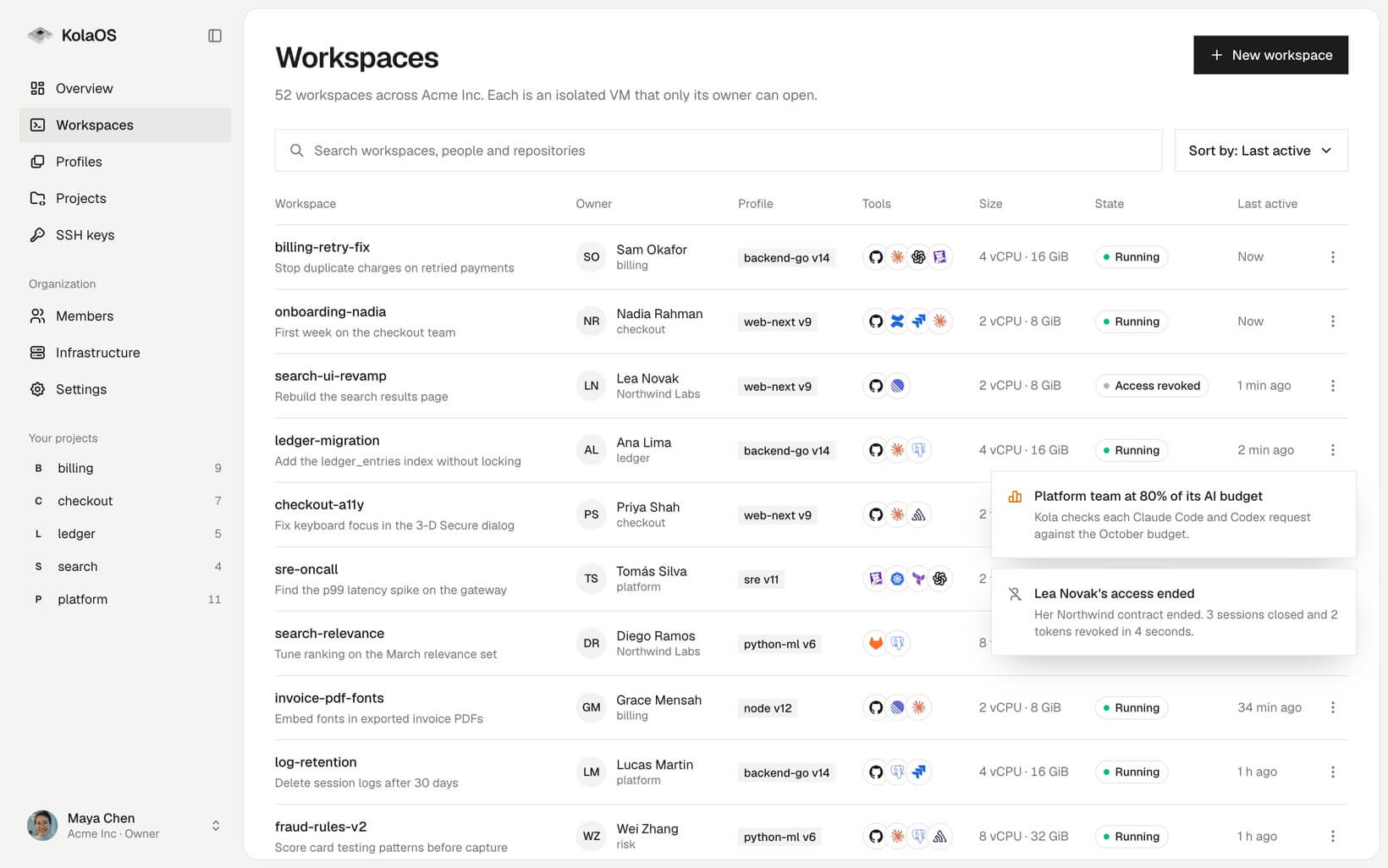
The KolaOS dashboard listing Acme Inc's workspaces, with notifications for an AI budget alert and a contractor's access ending

Built into the KolaOS ecosystem

  • Anthropic
  • OpenAI
  • Gemini
  • Mistral
  • VS Code
  • JetBrains
  • Cursor
  • GitHub
  • GitLab
  • Okta
  • Datadog
  • Sentry
  • Jira
  • Confluence
  • Linear
  • Docker
  • PostgreSQL
  • Terraform
  • Kubernetes

Why teams come to KolaOS

New engineers wait weeks for access

Every week a new engineer waits for access is a week of salary with nothing shipped. They chase repositories, staging and test data while a senior engineer stops to help.

  • Versioned engineering profiles
  • Ready on invitation
  • Brokered staging and test data

How KolaOS works.

Developers, admins and their coding agents, each with a role.

Roles
Owner, admin, developer and viewer
Access
Desktop app, browser IDE, or SSH from VS Code, Cursor and JetBrains
Agents
Claude Code, Codex and OpenCode, preinstalled
Gateway
Control plane
Audit log

Organize and govern your projects.

A project holds the people, agents, code and tools for one piece of work. KolaOS builds every workspace from it.

Everything the team needs on day one.

Add your team from your identity provider. Everyone you invite gets a ready workspace.
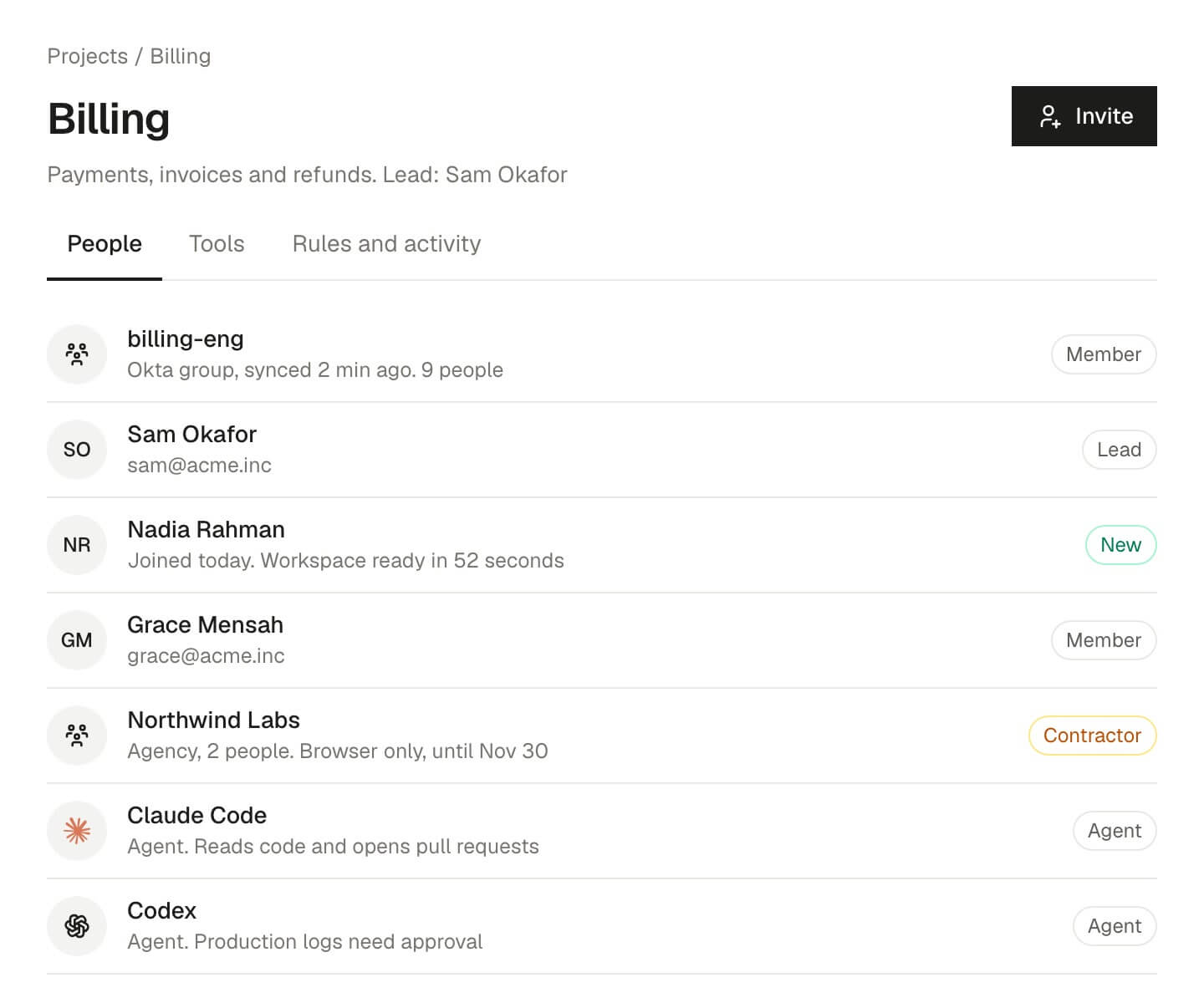
The Billing project's people: an Okta group, the lead, a new engineer, a contractor agency and two coding agents

Connect your tools once.

Repositories, docs, logs and databases reach every workspace, with no keys inside it.
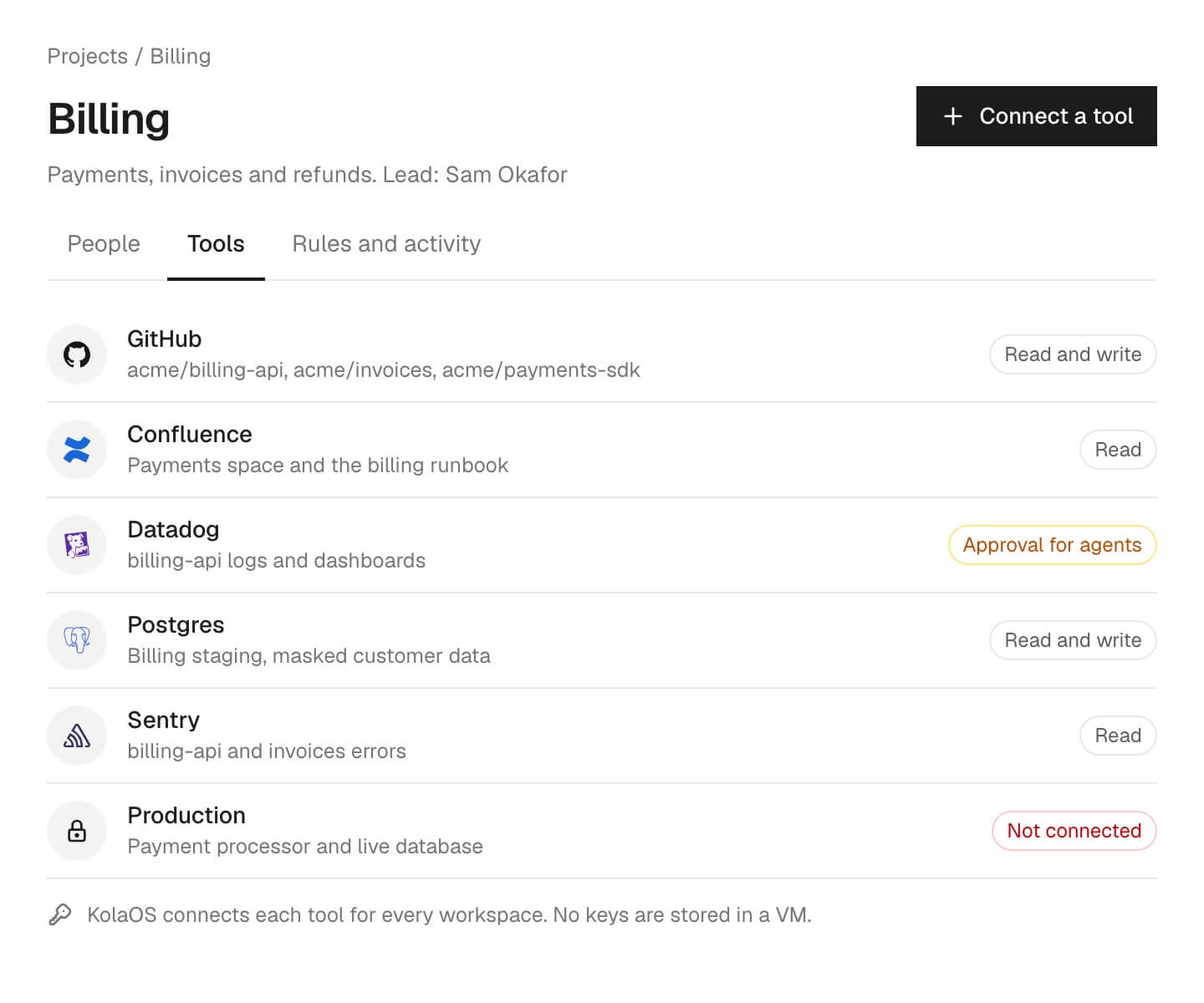
The Billing project's tools: GitHub, Confluence, Datadog, Postgres and Sentry with their access, and production not connected

Set the rules. See every action.

Decide what agents and contractors can do. Every request and approval is recorded.
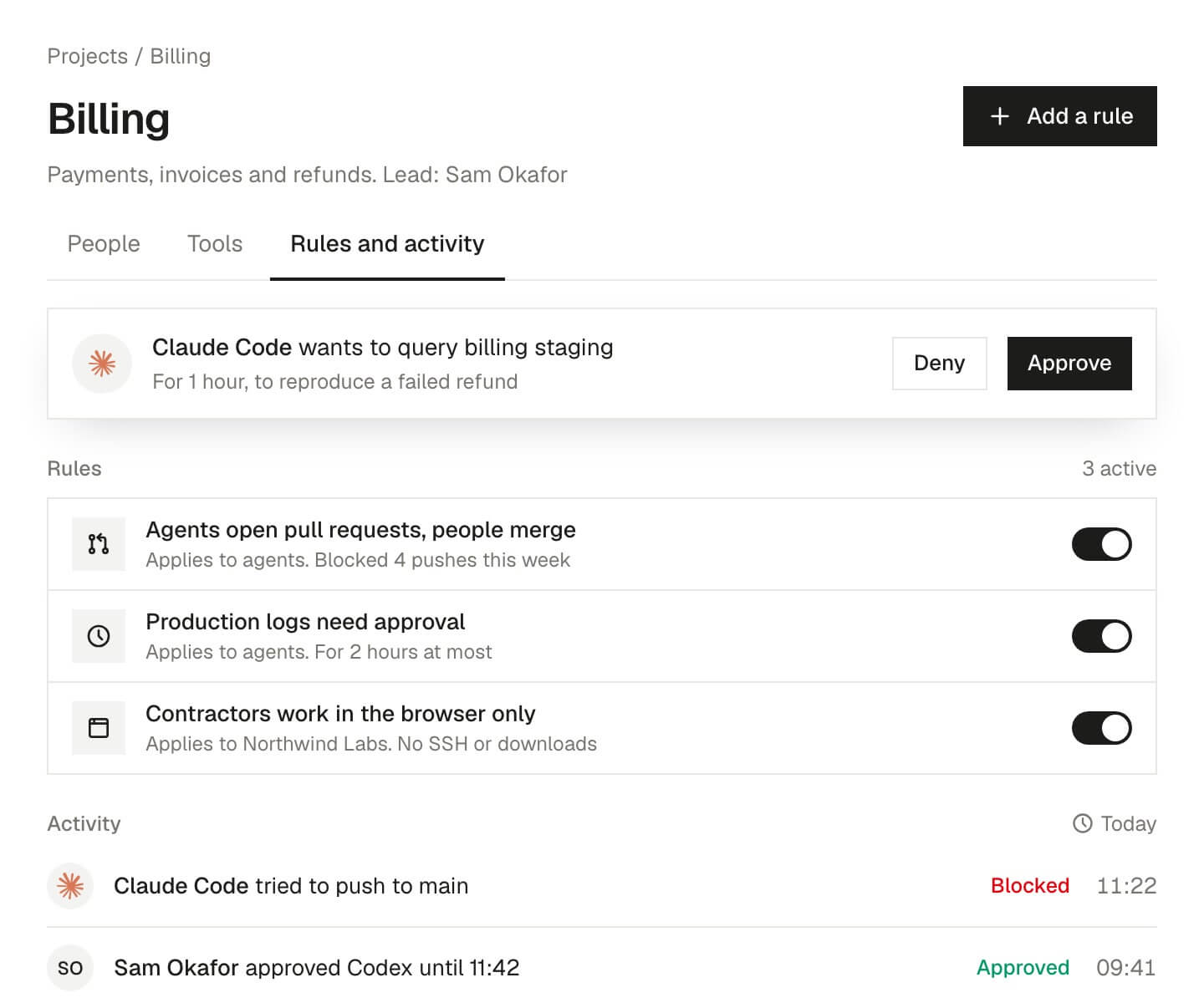
The Billing project's rules and activity: agents open pull requests, production logs need approval, and recent approvals and denials

From the first invitation to the last day.

Invite

Add someone to a project from your identity provider's groups.

Request early access to KolaOS

We onboard each team ourselves. Leave your work email and we'll reply within two working days.